2008-08-27

The Gimp 2.4.7

The Gimp 2.4.7The GIMP is a multiplatform photo manipulation tool. GIMP is an acronym for GNU Image Manipulation Program. The GIMP is suitable for a variety of image manipulation tasks, including photo retouching, image composition, and image construction.


It has many capabilities. It can be used as a simple paint program, an expert quality photo retouching program, an online batch processing system, a mass production image renderer, an image format converter, etc.

GIMP is expandable and extensible. It is designed to be augmented with plug-ins and extensions to do just about anything. The advanced scripting interface allows everything from the simplest task to the most complex image manipulation procedures to be easily scripted.

Note that, if this is the first time you're installing The GIMP, you will also need GTK+ 2 Runtime Environment from here. Note that the Gimp help files are also available from the same place.

This is only a brief list of GIMP features:

* Full suite of painting tools including brushes, a pencil, an airbrush, cloning, etc.
* Tile-based memory management so image size is limited only by available disk space
* Sub-pixel sampling for all paint tools for high-quality anti-aliasing
* Full Alpha channel support
* Layers and channels
* A procedural database for calling internal GIMP functions from external programs, such as Script-Fu
* Advanced scripting capabilities
* Multiple undo/redo (limited only by disk space)
* Transformation tools including rotate, scale, shear and flip
* File formats supported include GIF, JPEG, PNG, XPM, TIFF, TGA, MPEG, PS, PDF, PCX, BMP and many others
* Selection tools including rectangle, ellipse, free, fuzzy, bezier and intelligent
* Plug-ins that allow for the easy addition of new file formats and new effect filters

Title: The Gimp 2.4.7
Filename: gimp-2.4.7-i686-setup.exe
File size: 14.18MB (14,869,048 bytes)
Requirements: Windows 2000/XP/2003/Vista/XP64/Vista64
License: Open Source
Date added: August 26, 2008
Author: The GIMP Team
www.gimp.org

Download Now


Mirror

PowerArchiver 11.00 Beta 5

PowerArchiver 11.00 Beta 5PowerArchiver is one of the most powerful archive utilities available. PowerArchiver offers hundreds of features, yet remains easy to use, small and fast. Novice users will find a familiar interface complete with tutorial and detailed help, while more experienced users can take advantage of full Explorer integration, multiple encryption methods and advanced compression algorithms.


* Support for unlimited file size and unlimited number of files in ZIP archives
* Support for advanced Deflate64 method providing higher compression ratios
* ZIP AES support (both PkZip 5,1 and WZ 9.0 standards supported)
* Fast and strong compression and decompression
* Multiple disk spanning, with support for unlimited span sizes

Title: PowerArchiver 11.00 Beta 5
Filename: powarc1100b5.exe
File size: 6.87MB (7,198,576 bytes)
Requirements: Windows (All Versions)
License: Shareware
Date added: August 26, 2008
Author: ConeXware Inc
www.powerarchiver.com


Change Log

Improvements
* Significantly improved startup speed when explorer view is on,
as well as opening of folder windows.
* Copy and Paste implemented in some parts of interface - explorer view when
browsing hard disk, preview (text).
* Added Drag and Drop support to Burner.
* Improved errors and logging in Backup.
* Improved updating of archives on DVD/RW drives in Backup.


Bug Fixes:
* Fixed Bug #773: Save session password inconsistent in PA.
* Fixed Bug #758: Various specific backup issues.
* Fixed Bug #776: Opening files in TAR archives with same filename.
* Fixed Bug #771: Relative path does not work in SFX Wizard.
* Fixed Bug #772: Spanning archive in shell shows AV,
* Fixed Bug #770: Compress folder in shell does not work (zip).
* Fixed Bug #769: 7z does not ask for overwrite in shell.
* Fixed Bug #768: 120dpi issue in registration screen.
* Fixed Bug #767: Encrypt tool does not always delete _enc.
* Fixed Bug #765: AV when converting 7z to Zip.
* Fixed Bug #766: AC when encrypting to ZIP.
* Fixed Bug #753: Issue when quickly opening archives with slow preview.
* Fixed Bug #762: Backup saves some non existing filenames in specific cond.
* Fixed Bug #759: Tabbing issues in config.
* Fixed Bug #761: Only part1-part9.rars open.
* Fixed Bug #763: 120dpi issue in backup.
* Fixed Bug #734: About sfx screens need update.
* Fixed Bug #747: Backup logs not always compressed.
* Fixed Bug #755: changed extract to folder/ behaviour.
* Fixed Bug #754: applicatio button (orb) does not work in b4.

2008-08-26

AntiVir Personal 8.1.00.331

AntiVir Personal 8.1.00.331The AntiVir Personal Edition offers the effective protection against computer viruses for the individual and private use on a single PC-workstation. In order to make possible an easy operation, the AntiVir Personal Edition is developed to the essential points.


You'll be amazed how thoroughly AntiVir protects:

* detects and removes more than 150,000 viruses
* always among the winners of comparison test featured in computer journals
* the resident Virus Guard serves to monitor file movements automatically, e.g. downloading of data from the internet
* scanning and repair of macro viruses
* protection against previously unknown macro viruses
* safeguard against cost generating dial-up program
* protection against trojaner, worms, backdoors, jokes and other harmful programs
* easy operation
* Internet-Update Wizard for easy updating
* Protection against previously unknown boot record viruses and master boot record viruses

Title: AntiVir Personal 8.1.00.331
Filename: antivir_workstation_winu_en_h.exe
File size: 23.92MB (25,085,704 bytes)
Requirements: Windows 2000/XP/Vista/XP64/Vista64
License: Freeware
Date added: August 26, 2008
Author: H+BEDV
www.hbedv.com
Homepage: www.free-av.com


Older version:
- AntiVir Personal 8.1.00.326

Rainlendar 2.4

Rainlendar 2.4Rainlendar is a customizable calendar that displays the current month. It is a very lightweight application that doesn't use much system resources or take much space on your desktop.


* Small and lightweight
* Different type events can have different appearence
* Supports Windows transparency
* Synchronizes events between several clients
* Localized for multiple languages
* Shows an alarm when an event is due
* Supports iCal files.
* Shows Outlook's appointments
* Includes a todo-list
* Works also as Litestep plugin
* Displays the current date in tray icon
* Can stick to the desktop (i.e. doesn't hide with Show Desktop)
* Hotkeys for quick access
* Easy skinning with an UI

Version 2 adds Outlook and network calendar support.

Title: Rainlendar 2.4
Filename: Rainlendar-Lite-2.4.exe
File size: 3.92MB (4,113,583 bytes)
Requirements: Windows 2000/XP/2003/Vista/XP64/Vista64
License: Freeware
Date added: August 26, 2008
Author: Rainy
www.rainlendar.net


ICQ 6.0.6063

ICQ 6.0.6063ICQ or 'I Seek You' is simply a way of getting in touch with people and friends. ICQ makes it easy to find people with similar interests across the globe, to establish new friendships, to communicate with colleagues, family members and friends no matter when or where they are. And once friendships and connections have been established you just need to go online to get in contact without the geographic and time related limitations of the offline world.


The most popular method of communication on ICQ is instant messaging, enabling you to send a message that immediately pops up on an online contact's screen. But there's a lot more to ICQ than that.

With ICQ Instant Messenger you can video/audio chat, send email, SMS and wireless-pager messages, as well as transfer files and URLs. If you're away from your personal computer you can still chat with friends and contacts, even where the ICQ client is not installed, by using the web-based ICQ2Go that works from any computer.

With ICQ 5 you can customize your ICQ to be exactly what you need and always up-to-date by adding shortcuts to your favorite features in order to launch them directly from your ICQ. This means that you can send your friends & contacts greeting cards and invitations to games, multi chats, video sessions, and more directly from your client and/or the message window. In the message window you can also choose to display your photo or one of ICQ's unique, animated devils.

Title: ICQ 6.0.6063
Filename: Install_ICQ6.exe
File size: 14.82MB (15,534,912 bytes)
Requirements: Windows (All Versions)
License: Freeware
Date added: August 26, 2008
Author: ICQ Inc
www.icq.com


FileZilla 3.1.2 RC1

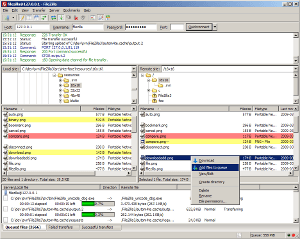
FileZilla 3.1.2 RC1FileZilla is a powerful FTP-client for Windows NT4, 2000 and XP. It has been designed for ease of use and with support for as many features as possible, while still being fast and reliable. The program offers support for firewalls and proxy connections as well as SSL and Kerberos GSS security.


Features:
  • Easy to use
  • Multilingual (English, German, French, Japanese, just to name a few)
  • Strong encryption support using SFTP over SSH and FTP over SSL/TLS
  • Supports transfer resuming and files larger than 4 GiB
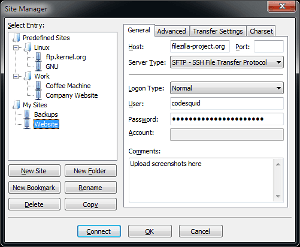
  • Site Manager
  • Queue support
  • Proxy support
  • Speed limits
  • MODE Z transfer compressing

Title: FileZilla 3.1.2 RC1
Filename: FileZilla_3.1.2-rc1_win32-setup.exe
File size: 3.48MB (3,649,416 bytes)
Requirements: Windows 2000/XP/2003/Vista/XP64/Vista64
License: Open Source
Date added: August 26, 2008
Author: FileZilla
filezilla.sourceforge.net

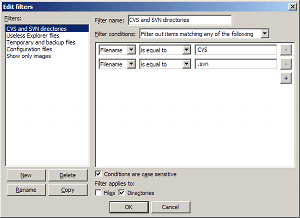
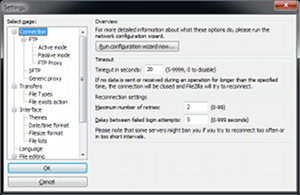
Screenshots


Change Log

3.1.2-rc1 (2008-08-24)

+ Add directory listing filter condition to match on containing path name
+ Implement kiosk mode in which FileZilla will not write any passwords to disk. Can be enabled through fzdefaults.xml
+ Add option to disable update checks to fzdefaults.xml
+ Vast performance improvements if handling queues and directories with thousands of files
+ Faster TLS/SSL handshake on data connections
- Queue should no longer get mixed up if LIST command fails during recursive downloads
- Fix crash if using -s commandline argument
- Fix spurious transfer failures if multiple engines try to list the same directory
- Loading invalid filters could crash FileZilla
- User/pass authentication for SOCKS5 proxy support was not working properly
- If stopping queue processing while recursively downloading directories, files added by the recursive operation will no longer reenable queue processing
- MSW: Keep site manager wide enough so that all notebook tabs fit
- Fix crash if server does not support resuming of large files
- SFTP uploads did not fail if server ran out of diskspace
- If compiled for some 64bit systems, SFTP resumes of files larger than 2^32 did not work properly

SuperAntiSpyware 4.20.1046

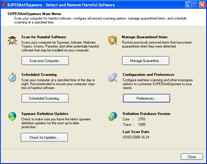
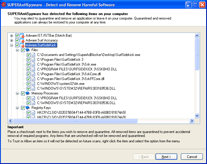
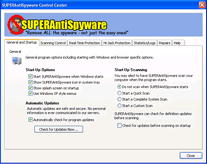
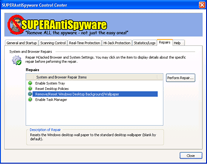
SuperAntiSpyware 4.20.1046SUPERAntiSpyware is the most thorough scanner on the market. Our Multi-Dimensional Scanning and Process Interrogation Technology will detect spyware that other products miss! SUPERAntiSpyware will remove ALL the Spyware, NOT just the easy ones!


* Quick, Complete and Custom Scanning of Hard Drives, Removable Drives, Memory, Registry, and More!
* Detect and Remove Spyware, Adware, Malware, Trojans, Dialers, Worms, KeyLoggers, HiJackers and many other types of threats.
* Trust Items and Exclude Folders for complete customization of scanning.

Title: SuperAntiSpyware 4.20.1046
Filename: SUPERAntiSpyware.exe
File size: 6.33MB (6,634,008 bytes)
Requirements: Windows (All Versions)
License: Freeware
Date added: August 26, 2008
Author: SUPERAntiSpyware
www.superantispyware.com


Screenshots


2008-08-25

CCleaner 2.11.636

CCleaner 2.11.636CCleaner (formerly Crap Cleaner) is a freeware system optimization and privacy tool. It removes unused and temporary files from your system - allowing Windows to run faster, more efficiently and giving you more hard disk space. The best part is that it's fast! (normally taking less than a second to run) and Free.

Cleans the following:
* Internet Explorer Cache, History, Cookies, Index.dat.
* Recycle Bin, Temporary files and Log files.
* Recently opened URLs and files.
* Third-party application temp files and recent file lists (MRUs).
Including: Firefox, Opera, Media Player, eMule, Kazaa, Google Toolbar, Netscape, Office XP, Nero, Adobe Acrobat, WinRAR, WinAce, WinZip and more...
* Advanced Registry scanner and cleaner to remove unused and old entries.
Including File Extensions, ActiveX Controls, ClassIDs, ProgIDs, Uninstallers, Shared DLLs, Fonts, Help Files, Application Paths, Icons, Invalid Shortcuts and more... Backup for registry clean.
* Windows Startup tool.

If you like and use this software then it is polite to make a donation to the author.

Title: CCleaner 2.11.636
Filename: ccsetup211.exe
File size: 2.79MB (2,928,600 bytes)
Requirements: Windows (All Versions)
License: Freeware
Date added: August 25, 2008
Author: Piriform
www.piriform.com
Homepage: www.ccleaner.com


Screenshots


Download Now


Change log

v2.11.636
--------------------------------------------
- Optimized startup and closing of application.
- Improved Registry cleaning on 64-bit OS.
- Improved memory usage on Windows Vista.
- Added System Tray icon status.
- Internal refactoring of code for efficiency.
- Improved Uninstall Tool accuracy with MSI installers.
- Fixed bug in Uninstall Tool on 64-bit OS.
- Fixed bug in INI file folder recursion.
- Fixed bug in INI file OS detection.
- Added Live Messenger cleaning for .SQM files.
- Added Vietnamese translation.
- Minor tweaks and improvements.

Older version:
- CCleaner 2.10.618

Opera 9.60 Beta (Build 10408)

Opera 9.60 Beta (Build 10408)A full-featured Internet browser, Opera includes pop-up blocking, tabbed browsing, integrated searches, and advanced functions like Opera's groundbreaking E-mail program, RSS Newsfeeds and IRC chat. And because we know that our users have different needs, you can customize the look and content of your Opera browser with a few clicks of the mouse.


* Tabbed browsing and pop-up blocking
* Opera integrated search
* Integrated search
* Improved security
* Password manager
* Opera skins
* Customization
* Integrated voice features
* Full support for Gmail
* Atom newsfeeds
* First Web browser to natively support Scalable Vector Graphics (SVG)

Title: Opera 9.60 Beta (Build 10408)
Filename: o960s_10408m.exe
File size: 6.76MB (7,087,296 bytes)
Requirements: Windows (All Versions)
License: Freeware
Date added: August 25, 2008
Author: Opera Software
www.opera.com


Change log

Hot on the heels of Wednesday's 9.52 release comes our first snapshot of 9.60.

Everyone here at on the Desktop Team has been working hard to add new features to your favorite browser, and here's what you can look forward to in 9.60:

Opera Link
Custom search engines and typed history* are now joining bookmarks, speed dials, personal bar, and notes in Opera Link.

Feed Preview
Now you can preview an RSS/Atom feed before subscribing.

Opera Mail: Low Bandwidth Mode
Low Bandwidth Mode is a setting on mail accounts that makes Opera Mail use as little bandwidth as possible. For IMAP, this means that Opera will only synchronise new messages and it will not fetch message attachments unless requested. For POP, Opera will not fetch more than the first 100 lines of a message unless requested.

Opera Mail: Follow/Ignore threads and contacts
Follow and Ignore are new features for users that receive a lot of messages. It makes it easier to dismiss unimportant messages and easier to recognise important messages.

Opera Mail: Go To Thread
You can now also "Go to thread" which means that you can view only the messages from that thread. Useful for those that uses flat view.

2008-08-24

Blender 2.47

Blender 2.47Blender is the open source software for 3D modeling, animation, rendering, post-production, interactive creation and playback. Available for all major operating systems under the GNU General Public License.


* Revolutionary non-overlapping and non-blocking UI delivers unsurpassed workflow
* Flexible and fully configurable window layout with as many screen setups as you prefer video sequence editing, character animation action editor, non-linear animation mixer, image/UV editing, file/image selection and file management
* Built-in text editor for annotations and editing Python scripts
* Consistent interface across all platforms
* A range of 3D object types including polygon meshes, NURBS surfaces, bezier and B-spline curves, metaballs, vector fonts (TrueType, PostScript, OpenType)
* 'Smooth proxy' style catmull-clark subdivision surfaces with optimal iso-lines display and sharpness editing
* Armature (skeleton) deformation with forward/inverse kinematics, auto skinning and interactive 3D paint for vertex weighting
* Non-linear animation mixer with automated walkcycles along paths
* Constraint system
* Vertex key framing for morphing, with controlling sliders
* Oversampling, motion blur, post-production effects, fields, non-square pixels
* Environment maps, halos, lens flares, fog
* Various surface shaders such as Lambert, Phong, Oren-nayar, Blinn, Toon
* Edge rendering for toon shading
* Procedural Textures
* Graphical editor for defining interactive behavior without programming
* Collision detection and dynamics simulation
* Playback of games and interactive 3D content without compiling or preprocessing
* Audio, using the SDL toolkit
* Multi-layering of Scenes for overlay interfaces
* Read / Write TGA, JPG, PNG, Iris, SGI Movie, IFF, AVI and Quicktime GIF, TIFF, PSD, MOV (Windows and Mac OS X)
* And much much more

Title: Blender 2.47
Filename: blender-2.47-windows.exe
File size: 8.81MB (9,234,115 bytes)
Requirements: Windows (All Versions)
License: Open Source
Date added: August 24, 2008
Author: Blender Foundation
www.blender.org

Screenshots


Download Now

CDBurnerXP Pro 4.2.1

CDBurnerXP Pro 4.2.1Freeware CD Burning Software, CDBurnerXP Pro 4.2.1.


* Writes all kind of mediums apart from double-layer DVD (follows in next version). Burning video-DVDs is limited.
* Burn audio-CDs with and without gaps between tracks
* Burn on the fly / Burn-proof
* Supports most IDE, USB, Firewire and SCSI drives
* Rip Audio-CDs to harddrive, obtain track-information (ID3-tags) from Internet
* Burn and create ISO-files
* Customizeable with many settings
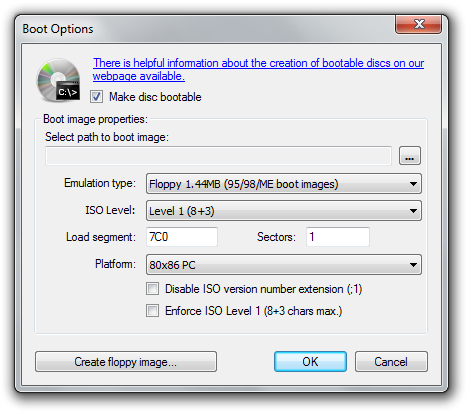
* Data verification after burn, create bootable discs
* (will be) available in multiple languages
* 100% freeware - no adware or restrictions
* bin/nrg->ISO converter, simple cover printing and much more!

Title: CDBurnerXP Pro 4.2.1
Filename: cdbxp_setup_4.2.1.919.exe
File size: 3.01MB (3,158,425 bytes)
Requirements: Windows 2000/XP/2003/Vista/XP64/Vista64
License: Freeware
Date added: August 24, 2008
Author: cdburnerxp.se
www.cdburnerxp.se


Screenshots


Download Now

2008-08-23

SmartFTP 3.0.1022.4

SmartFTP 3.0.1022.4SmartFTP allows you to transfer files across the Internet. It features an Explorer-like, customizable interface and supports drag-and-drop functions. Multiple FTP connections can be opened at the same time, and you can copy files from one remote host to another (FXP). Remote-host directory information is cached for future viewing, and FTP URLs are supported.


Other features include:
* A Favorites list
* The ability to resume broken downloads
* A global history
* Background transfers
* Proxy support
* A passive transfer mode
* And the ability to perform recursive downloads, uploads, and deletes.

Title: SmartFTP 3.0.1022.4
Filename: SFTPNSI.exe
File size: 5.69MB (5,970,544 bytes)
Requirements: Windows 2000/XP/2003/Vista/XP64/Vista64
License: Commercial Trial
Date added: August 23, 2008
Author: SmartFTP
www.smartftp.com


Screenshots

SmartFTP 3.0.1022.4

Download Now


Versions List:

- SmartFTP 3.0.1022.21
- SmartFTP 3.0.1022.4

ZoneAlarm Free 7.0.483.0

ZoneAlarm Free 7.0.483.0ZoneAlarm is an easy-to-use firewall that blocks hackers and other unknown threats.


* Intrusion Blocking systematically identifies hackers and blocks access attempts.
* Stealth Mode automatically makes your computer invisible to anyone on the Internet.
* Automatic Program Configuration provides safety and simplicity by automatically configuring programs. Automatically decides whether to allow or deny Internet access to individual programs.
* Expert Controls give savvy users precise control over security settings.

This free version is for non-commercial use only.

Title: ZoneAlarm Free 7.0.483.0
Filename: zlsSetup_70_483_000_en.exe
File size: 44.66MB (46,829,456 bytes)
Requirements: Windows 2000/XP/2003
License: Non-Commercial Freeware
Date added: July 11, 2008
Author: Zone Labs
www.zonelabs.com
Homepage: www.zonelabs.com/sto...m/freeDownload.jsp

Download Now

Comodo Firewall 3.0.25.378

Comodo Firewall 3.0.25.378Comodo claim that their firewall is unique in that it passes all known leak tests to ensure the integrity of data entering and exiting your system. Comodo has put firewall through all kinds of sophisticated tests to ensure its firewall powerful enough to ward off these attacks with default settings. No other firewall has had to work this hard.


* PC Magazine Online's Editor's Choice
* Secures against internal and external attacks
* Blocks internet access to malicious Trojan programs
* Safeguards your Personal data against theft
* Delivers total end-point security for
* Personal Computers and Networks

Title: Comodo Firewall 3.0.25.378
Filename: CFP_Setup_3.0.25.378_XP_Vista_x32.exe
File size: 18.66MB (19,564,288 bytes)
Requirements: Windows XP/2003/Vista
License: Freeware
Date added: June 3, 2008
Author: Comodo
www.comodogroup.com
Homepage: www.personalfirewall.comodo.com


Screenshots


Download Now


Change log
* Fixed! Windows Vista 64 UI Problems.
* Fixed! SafeSurf crashes applications on x64 based operating systems.

ImgBurn 2.4.2.0

ImgBurn 2.4.2.0ImgBurn carries on from where DVD Decrypter left off! (Well, for the burning part anyway!). ImgBurn can write most types of CD / DVD images and it supports all the latest writers (including booktype / bitsetting on many of the major ones - i.e. BenQ, LiteOn, NEC, Plextor, Sony). You can even use ImgBurn to erase / format your rewritable media!


ImgBurn will try its very best to burn your DVD-Video double layer images using the layer break you've specified in the IFO files, but it can also calculate the best place for you, to save you the trouble.

Advanced functionality can be found in context menus that appear when you right click on various bits of the user interface. Can you find them all??!!

Title: ImgBurn 2.4.2.0
Filename: SetupImgBurn_2.4.2.0.exe
File size: 1.88MB (1,971,378 bytes)
Requirements: Windows (All Versions)
License: Freeware
Date added: July 23, 2008
Author: Lightning UK
www.imgburn.com

Download Now

DVD Shrink 3.2.0.15

DVD Shrink 3.2.0.15DVD Shrink is a freeware tool for fitting a DVD-Video disc on a single DVD-R. DVD Shrink will also burn your backup DVD, if you have installed the latest version of Nero. If you already possess alternative burning software and prefer to stick with it, then you can still use DVD Shrink. The output from DVD Shrink can be saved as files on your hard drive, which you can then burn with software of your choice.


Title: DVD Shrink 3.2.0.15
Filename: dvdshrink32setup.exe
File size: 1.07MB (1,117,491 bytes)
Requirements: Windows (All Versions)
License: Freeware
Date added: August 19, 2005
Author: DVD Shrink
www.dvdshrink.org

Download Now

CCleaner 2.10.618

CCleaner 2.10.618CCleaner (formerly Crap Cleaner) is a freeware system optimization and privacy tool. It removes unused and temporary files from your system - allowing Windows to run faster, more efficiently and giving you more hard disk space. The best part is that it's fast! (normally taking less than a second to run) and Free.


Cleans the following:

  • Internet Explorer Cache, History, Cookies, Index.dat.
  • Recycle Bin, Temporary files and Log files.
  • Recently opened URLs and files.
  • Third-party application temp files and recent file lists (MRUs).
  • Including: Firefox, Opera, Media Player, eMule, Kazaa, Google Toolbar, Netscape, Office XP, Nero, Adobe Acrobat, WinRAR, WinAce, WinZip and more...
  • Advanced Registry scanner and cleaner to remove unused and old entries.
  • Including File Extensions, ActiveX Controls, ClassIDs, ProgIDs, Uninstallers, Shared DLLs, Fonts, Help Files, Application Paths, Icons, Invalid Shortcuts and more... Backup for registry clean.
  • Windows Startup tool.

If you like and use this software then it is polite to make a donation to the author.

Title: CCleaner 2.10.618
Filename: ccsetup210.exe
File size: 2.79MB (2,922,072 bytes)
Requirements: Windows (All Versions)
License: Freeware
Date added: July 30, 2008
Author: Piriform
www.piriform.com
Homepage: www.ccleaner.com


Download Now

Screenshots


Change Log

v2.10.618
--------------------------------------------
- Added Type Library cleaning to Registry Cleaner.
- Improved File Extension scanning in Registry Cleaner.
- Added /SHUTDOWN command-line parameter to shutdown the computer
after cleaning. Only works with /AUTO.
- Added Shutdown option to system tray menu.
- Added support for Vista common dialogs.
- Fixed bug in Uninstaller Tool where some items were hidden.
- Fixed multi-monitor issue with dialogs.
- Fixed incompatibility with Windows Search 4.0.
- Added seconds to filename when saving .REG files.
- Improved RegEdit location navigation.
- Improved Google Earth cleaning and detection.
- Memory usage optimizations.
- Minor bug fixes.

2008-08-22

ATI Catalyst Drivers 8.8

ATI Catalyst Drivers 8.8ATI Catalyst: A free software suite for ATI Radeon graphics that helps improve PC performance by increasing overall stability and providing innovative new features. The latest Windows Vista drivers and software for the Radeon range of ATI graphics cards.


* ATI Catalyst Driver
This is the backbone of the entire Catalyst software that accelerates your 2D desktop and 3D applications (using either the OpenGL or Direct3D components)
* ATI Catalyst Control Center
This is ATI's new user interface that revolutionizes how users interact with their ATI graphics accelerator - users can very quickly setup and configure their graphics accelerator settings using the ATI Catalyst Control Center
* Hydravision (HV)
A separate software package that allows users to more efficiently organize multiple applications across multiple displays - great for business users
* Multi-Media Center (MMC) and Remote Wonder (RW)
Separate software package designed to provide the ultimate multi-media playback experience

Title: ATI Catalyst Drivers 8.8 XP
Filename: 8-8_xp32_dd_ccc_wdm_enu_67975.exe , 8-8_vista32_dd_ccc_wdm_enu_67980.exe
File size: 32.58MB (34,162,824 bytes)
Requirements: Windows XP/2003
License: Freeware
Date added: August 22, 2008
Author: ATI Technologies Inc
ati.amd.com


Download Now (for XP)

Download Now (for VISTA)

Change log

The Catalyst" software suite 8.8 contains the following:

* Radeon" display driver 8.522
* Multimedia Center" 9.16 (Windows XP only)
* HydraVision" for both Windows XP and Vista
* HydraVision" Basic Edition (Windows XP only)
* Remote Wonder 3.04 (Windows XP only)
* WDM Driver Install Bundle
* Southbridge/IXP Driver
* Catalyst" Control Center Version 8.8

Resolved Issues for the Windows Vista Operating System

This section provides information on resolved issues in this release of the ATI Catalyst" Software Suite for Windows Vista. These include:

* Setting the language option to Greek no longer results in cropped text being noticed in the Catalyst" Control Center->Component Video page
* Adobe After Effects: Exiting the application no longer results in the Windows Vista (64 bit version) operating system intermittently failing to respond
* Call of Duty 4: Corruption is no longer noticed when having Quad CrossFire" enable and an HDMI 1080p display device connected. Further details can be found in topic number 737-35112
* Devil May Cry 4: Anti-Aliasing no longer fails to function when playing the game with CrossFire" enabled
* Dirt: Playing the German Crossover track (Rally World Event) no longer results in the grand stands and chain link fences not being display correctly when CrossFire" is enabled and MSAA is disabled
* Hellgate London: Setting the display resolution to 2560x1600 no longer results in the game failing to respond
* Linage II: Switching between the game and the Windows desktop no longer results in the desktop appearing brighter than its original setting. Exiting the game and restarting the operating system may also result in the desktop brightness failing to be restored to its original setting. Further details can be found in topic number 737-35108
* Lost Planet (DX9): Enabling CrossFire", AA to 4x, AF to 8x, and having all of the in-game options set to high no longer results in the game failing to respond when running the performance test
* Mahjongg Artifacts: Flickering is no longer noticed when playing the game on pre-configured name brand systems
* Mass Effect: Playing the game with CrossFire" enabled no longer results in corruption being noticed on the AA menu
* NASCAR demo: Setting all the in-game options to the highest levels no longer results in corruption being noticed on systems containing an ATI Radeon" HD 2400 series of product and running Windows Vista
* Quake 4: Corruption is no longer noticed when starting a new game on systems running either Windows XP or Vista and containing an ATI Radeon" HD 48x0 series of product
* Second Life: Playing the game on a CrossFire" configured system (ATI Radeon" HD 2400 and above) no longer results in corruption and slow performance being noticed
* Unreal Tournament 3: The game no longer intermittently fails to launch when a map has texture detail set to maximum. Further details can be found in topic number 737-31189
* World In Conflict: Setting the video quality to high no longer results in corruption being noticed
* Installing a newer version of the Catalyst" Control Center without removing the older version no longer results in a windows error message appearing when attempting to launch the Catalyst" Control Center
* The Reduce DVI frequency on high-resolution displays is no longer missing in the Catalyst" Control Center->Digital Panel (DVI) page when hot un-plugging and then hot-plugging a display device using the HDMI port on systems containing an ATI Radeon" HD 3100/3200 series of product
* The Display Management options are no longer missing or corrupted when switching between profiles in the Catalyst" Control Center
* Clicking Start->All Program->Catalyst" Control Center->Restart runtime twice no longer results in the two ATI Restart icons appearing on the Windows taskbar
* Setting the DPI to 120 or 144 no longer results in cropped text being noticed throughout various pages of the Catalyst" Control Center
* Making changes to the default values in the Avivo color page and closing the Catalyst" Control Center without applying the changes no longer results in the default values failing to be restored
* Cropped text is no longer noticed in the VPU Recover message when the DPI is set to 144
* Checking the Use application settings in Avivo Video->Basic Color no longer results in the preview failing to be updated with the default color settings
* Corruption is no longer noticed when entering the Catalyst" Control Center->Basic Quality page on systems containing an ATI Radeon" HD 4800 product
* Setting the language option to German and the Catalyst" Control Center skin to ATI_Crimson no longer results in text appearing cropped within the Catalyst" Control Center
* Catalyst" Control Center: Enabling the option for Always on Top no longer results in dialog boxes failing to appear on top of the Catalyst" Control Center
* Running through a custom install of the graphics driver and installing the driver to a directory of choice no longer results in a C++ error message when right clicking on the Windows desktop
* The pulldown menu options found within various pages of the Catalyst" Control Center are no longer mis-aligned
* Setting the language option to Russian no longer results in cropped text being noticed within the Catalyst" Control Center
* Using the Catalyst" Control Center Setup Assistant no longer results in the Catalyst" Control Center Advanced View text is appearing greyed out
* A restricted number of HDTV custom modes no longer occurs after deleting all of the custom modes that were previously added
* Catalyst" Control Center: The online help links for Color->Full Screen3D are no longer missing
* Catalyst" Control Center->Help->CrossFire": The help file no longer states that CrossFire" is enabled by default under the Windows XP operating system
* Incorrect help hardware configurations are no longer described for CrossFire" in the Catalyst" Control Center->Help contents
* Setting the language option to any of the supported languages now results in the translated language web pages being displayed (if in existence) when clicking on the Welcome link
* Corruption is no longer noticed in the lower portion of the HDMI display when using certain display modes
* Disabling the graphics driver while clone mode is enable no longer results in corruption being noticed on the display devices
* Connecting an HDMI display device and entering an S3 state no longer results in the operating system failing to respond or VPU Recover to activate
* Connecting an HDMI display device to the DVI port using an HDMI to DVI dongle no longer results in the display mode of 720x480 failing to be in the display mode list after hot-unplugging the HDMI display device and hot-plugging a DVI display device. Further details can be found in topic number 737-35105
* Screen flashing no longer occurs when connecting a display device that has incorrect Extended Display Identification Data information (EDID)
* An error message indicating that the display driver stopped responding and has recovered is no longer displayed when playing a DVD title using the Windows Media Player on systems containing an ATI Radeon" 3100/3200 series of product
* Connecting a dual link display device to a system containing an ATI Radeon" HD 36x0 series of product no longer results in the display device failing to display an image when enabling the option to reduce DVI and setting the display resolution to 1280x1024 60Hz 32bpp
* Connecting an HDMI display device and setting the display resolution to 1600x1024 or higher with a refresh rate higher than 60Hz. no longer result in the display device failing to display an image
* Logging off one user and logging on as another no longer results in CrossFire" failing to be enabled or disabled when logging back on as the original user
* A CCCPrev.exe has stopped working error message no longer appears when selecting any 3D settings in the Catalyst" Control Center when extended desktop mode is enabled
* Connecting a CRT as the primary and a DFP as a secondary display device followed by enabling extended desktop mode no longer results in clone mode becoming active when hot-unplugging the DFT and the hot-plugging it back on
* Connecting a TV as a secondary display device and attempting to enabled extended desktop mode no longer results in the TV format failing to change
* Connecting a secondary display device and enabling it as the primary display no longer results in the resolution being set to it maximum display resolution when enabling CrossFire"
* Clicking on the seek slider when playing a DVD title using the PowerDVD player no longer results in corruption being noticed on the playback window
* Switching from h.264 to MPEG2 video titles no longer results in the operating system intermittently failing to respond
* Playing VC1 video clips no longer results in green corruption being noticed in the player window
* Seeking or fast-forwarding in a media player application no longer results in corruption being noticed on systems containing an ATI Radeon" HD 3600 series of product and running Windows Vista (32 bit version)
* Enabling BOB de-interlacing no longer results in a green line being noticed on the bottom of the playback window when playing a 1080i clip
* Playing a standard definition DVD using the Windows Media Player no longer results in the player window flashing when closed captioning is enabled
* Playing a DVD title using the PowerDVD player no longer results in the PowerDVD player failing to respond when DXVA is disabled, closed captioning is enabled and the user is fast forwarding the DVD title anywhere from 4x to 32x

Autoruns 9.33

Autoruns 9.33This utility, which has the most comprehensive knowledge of auto-starting locations of any startup monitor, shows you what programs are configured to run during system bootup or login, and shows you the entries in the order Windows processes them. These programs include ones in your startup folder, Run, RunOnce, and other Registry keys. You can configure Autoruns to show other locations, including Explorer shell extensions, toolbars, browser helper objects, Winlogon notifications, auto-start services, and much more. Autoruns goes way beyond the MSConfig utility bundled with Windows Me and XP.

Autoruns' Hide Signed Microsoft Entries option helps you to zoom in on third-party auto-starting images that have been added to your system and it has support for looking at the auto-starting images configured for other accounts configured on a system. Also included in the download package is a command-line equivalent that can output in CSV format, Autorunsc.

You'll probably be surprised at how many executables are launched automatically!

Autoruns works on all versions of Windows including Windows XP 64-bit Edition (for x64) and Windows Server 2003 64-bit Edition (for x64).

This download includes the exe and command line versions of Autoruns.

Title: Autoruns 9.33
Filename: Autoruns.zip
File size: 563KB (576,232 bytes)
Requirements: Windows 2000/XP/2003/Vista/XP64/Vista64
License: Freeware
Date added: August 22, 2008
Author: Microsoft SysInternals
www.microsoft.com/technet/sysinternals


Download Now

LimeWire Basic 4.18.6

LimeWire Basic 4.18.6LimeWire is a fast P2P file-sharing application, letting users share and search for all types of computer files, including movies, pictures, games, and text documents. The application's other features include dynamic querying, the ability to preview files while downloading, advanced techniques for locating rare files, and an extremely intuitive user interface.

* Ease of use - just install, run, and search
* Ability to search by artist, title, genre, or other metainformation
* Elegant multiple search tabbed interface
* "Swarm" downloads from multiple hosts help you get files faster
* iTunes integration for Mac and Windows users
* Unique "ultrapeer" technology reduces bandwidth requirements for most users
* Integrated chat
* Directly connect to a computer
* Browse host feature--even works through firewalls
* Added Bitzi metadata lookup
* International versions: Now available in many new languages
* Connects to the network using GWebCache, a distributed connection system
* Automatic local network searches for lightning-fast downloads
* Support for MAGNET links that allow you to click on web page links that access Gnutella

Title: LimeWire Basic 4.18.6
Filename: LimeWireWin.exe
File size: 4.67MB (4,898,704 bytes)
Requirements: Windows (All Versions)
License: Freeware
Date added: August 22, 2008
Author: Lime Wire LLC
www.limewire.com

Screenshot


Download Now


Old version:

LimeWire Basic 4.18.5

2008-08-21

Process Monitor v1.37

Process Monitor v1.37Process Monitor is an advanced monitoring tool for Windows that shows real-time file system, Registry and process/thread activity. It combines the features of two legacy Sysinternals utilities, Filemon and Regmon, and adds an extensive list of enhancements including rich and non-destructive filtering, comprehensive event properties such session IDs and user names, reliable process information, full thread stacks with integrated symbol support for each operation, simultaneous logging to a file, and much more.

Its uniquely powerful features will make Process Monitor a core utility in your system troubleshooting and malware hunting toolkit.

Process Monitor runs on Windows 2000 SP4 with Update Rollup 1, Windows XP SP2, Windows Server 2003 SP1, and Windows Vista as well as x64 versions of Windows XP, Windows Server 2003 SP1 and Windows Vista.

Process Monitor Enhancements over Filemon and Regmon

Process Monitor's user interface and options are similar to those of Filemon and Regmon, but it was written from the ground up and includes numerous significant enhancements, such as:
  • Monitoring of process and thread startup and exit, including exit status codes
  • Monitoring of image (DLL and kernel-mode device driver) loads
  • More data captured for operation input and output parameters
  • Non-destructive filters allow you to set filters without losing data
  • Capture of thread stacks for each operation make it possible in many cases to identify the root cause of an operation
  • Reliable capture of process details, including image path, command line, user and session ID
  • Configurable and moveable columns for any event property
  • Filters can be set for any data field, including fields not configured as columns
  • Advanced logging architecture scales to tens of millions of captured events and gigabytes of log data
  • Process tree tool shows relationship of all processes referenced in a trace
  • Native log format preserves all data for loading in a different Process Monitor instance
  • Process tooltip for easy viewing of process image information
  • Detail tooltip allows convenient access to formatted data that doesn't fit in the column
  • Cancellable search
  • Boot time logging of all operations

The best way to become familiar with Process Monitor's features is to read through the help file and then visit each of its menu items and options on a live system.

Title: Process Monitor v1.37
Filename: ProcessMonitor.zip
File size: 1.1 MB
Requirements: Windows 2000/XP/2003/Vista/XP64/Vista64
License: Free
Homepage: http://technet.microsoft.com................../bb896645.aspx

Screenshots


Download Now