2008-08-25

CCleaner 2.11.636

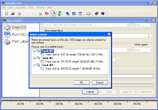
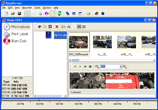
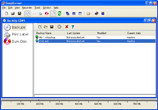
CCleaner 2.11.636CCleaner (formerly Crap Cleaner) is a freeware system optimization and privacy tool. It removes unused and temporary files from your system - allowing Windows to run faster, more efficiently and giving you more hard disk space. The best part is that it's fast! (normally taking less than a second to run) and Free.

Cleans the following:
* Internet Explorer Cache, History, Cookies, Index.dat.
* Recycle Bin, Temporary files and Log files.
* Recently opened URLs and files.
* Third-party application temp files and recent file lists (MRUs).
Including: Firefox, Opera, Media Player, eMule, Kazaa, Google Toolbar, Netscape, Office XP, Nero, Adobe Acrobat, WinRAR, WinAce, WinZip and more...
* Advanced Registry scanner and cleaner to remove unused and old entries.
Including File Extensions, ActiveX Controls, ClassIDs, ProgIDs, Uninstallers, Shared DLLs, Fonts, Help Files, Application Paths, Icons, Invalid Shortcuts and more... Backup for registry clean.
* Windows Startup tool.

If you like and use this software then it is polite to make a donation to the author.

Title: CCleaner 2.11.636
Filename: ccsetup211.exe
File size: 2.79MB (2,928,600 bytes)
Requirements: Windows (All Versions)
License: Freeware
Date added: August 25, 2008
Author: Piriform
www.piriform.com
Homepage: www.ccleaner.com


Screenshots


Download Now


Change log

v2.11.636
--------------------------------------------
- Optimized startup and closing of application.
- Improved Registry cleaning on 64-bit OS.
- Improved memory usage on Windows Vista.
- Added System Tray icon status.
- Internal refactoring of code for efficiency.
- Improved Uninstall Tool accuracy with MSI installers.
- Fixed bug in Uninstall Tool on 64-bit OS.
- Fixed bug in INI file folder recursion.
- Fixed bug in INI file OS detection.
- Added Live Messenger cleaning for .SQM files.
- Added Vietnamese translation.
- Minor tweaks and improvements.

Older version:
- CCleaner 2.10.618

Opera 9.60 Beta (Build 10408)

Opera 9.60 Beta (Build 10408)A full-featured Internet browser, Opera includes pop-up blocking, tabbed browsing, integrated searches, and advanced functions like Opera's groundbreaking E-mail program, RSS Newsfeeds and IRC chat. And because we know that our users have different needs, you can customize the look and content of your Opera browser with a few clicks of the mouse.


* Tabbed browsing and pop-up blocking
* Opera integrated search
* Integrated search
* Improved security
* Password manager
* Opera skins
* Customization
* Integrated voice features
* Full support for Gmail
* Atom newsfeeds
* First Web browser to natively support Scalable Vector Graphics (SVG)

Title: Opera 9.60 Beta (Build 10408)
Filename: o960s_10408m.exe
File size: 6.76MB (7,087,296 bytes)
Requirements: Windows (All Versions)
License: Freeware
Date added: August 25, 2008
Author: Opera Software
www.opera.com


Change log

Hot on the heels of Wednesday's 9.52 release comes our first snapshot of 9.60.

Everyone here at on the Desktop Team has been working hard to add new features to your favorite browser, and here's what you can look forward to in 9.60:

Opera Link
Custom search engines and typed history* are now joining bookmarks, speed dials, personal bar, and notes in Opera Link.

Feed Preview
Now you can preview an RSS/Atom feed before subscribing.

Opera Mail: Low Bandwidth Mode
Low Bandwidth Mode is a setting on mail accounts that makes Opera Mail use as little bandwidth as possible. For IMAP, this means that Opera will only synchronise new messages and it will not fetch message attachments unless requested. For POP, Opera will not fetch more than the first 100 lines of a message unless requested.

Opera Mail: Follow/Ignore threads and contacts
Follow and Ignore are new features for users that receive a lot of messages. It makes it easier to dismiss unimportant messages and easier to recognise important messages.

Opera Mail: Go To Thread
You can now also "Go to thread" which means that you can view only the messages from that thread. Useful for those that uses flat view.

2008-08-24

Blender 2.47

Blender 2.47Blender is the open source software for 3D modeling, animation, rendering, post-production, interactive creation and playback. Available for all major operating systems under the GNU General Public License.


* Revolutionary non-overlapping and non-blocking UI delivers unsurpassed workflow
* Flexible and fully configurable window layout with as many screen setups as you prefer video sequence editing, character animation action editor, non-linear animation mixer, image/UV editing, file/image selection and file management
* Built-in text editor for annotations and editing Python scripts
* Consistent interface across all platforms
* A range of 3D object types including polygon meshes, NURBS surfaces, bezier and B-spline curves, metaballs, vector fonts (TrueType, PostScript, OpenType)
* 'Smooth proxy' style catmull-clark subdivision surfaces with optimal iso-lines display and sharpness editing
* Armature (skeleton) deformation with forward/inverse kinematics, auto skinning and interactive 3D paint for vertex weighting
* Non-linear animation mixer with automated walkcycles along paths
* Constraint system
* Vertex key framing for morphing, with controlling sliders
* Oversampling, motion blur, post-production effects, fields, non-square pixels
* Environment maps, halos, lens flares, fog
* Various surface shaders such as Lambert, Phong, Oren-nayar, Blinn, Toon
* Edge rendering for toon shading
* Procedural Textures
* Graphical editor for defining interactive behavior without programming
* Collision detection and dynamics simulation
* Playback of games and interactive 3D content without compiling or preprocessing
* Audio, using the SDL toolkit
* Multi-layering of Scenes for overlay interfaces
* Read / Write TGA, JPG, PNG, Iris, SGI Movie, IFF, AVI and Quicktime GIF, TIFF, PSD, MOV (Windows and Mac OS X)
* And much much more

Title: Blender 2.47
Filename: blender-2.47-windows.exe
File size: 8.81MB (9,234,115 bytes)
Requirements: Windows (All Versions)
License: Open Source
Date added: August 24, 2008
Author: Blender Foundation
www.blender.org

Screenshots


Download Now

CDBurnerXP Pro 4.2.1

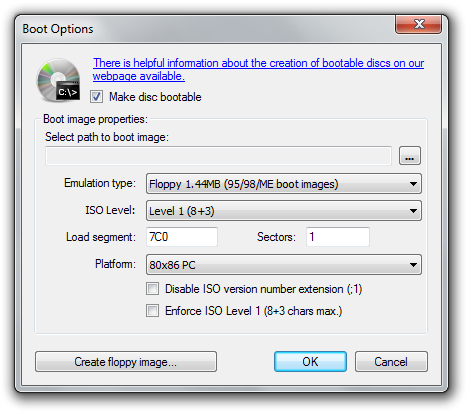
CDBurnerXP Pro 4.2.1Freeware CD Burning Software, CDBurnerXP Pro 4.2.1.


* Writes all kind of mediums apart from double-layer DVD (follows in next version). Burning video-DVDs is limited.
* Burn audio-CDs with and without gaps between tracks
* Burn on the fly / Burn-proof
* Supports most IDE, USB, Firewire and SCSI drives
* Rip Audio-CDs to harddrive, obtain track-information (ID3-tags) from Internet
* Burn and create ISO-files
* Customizeable with many settings
* Data verification after burn, create bootable discs
* (will be) available in multiple languages
* 100% freeware - no adware or restrictions
* bin/nrg->ISO converter, simple cover printing and much more!

Title: CDBurnerXP Pro 4.2.1
Filename: cdbxp_setup_4.2.1.919.exe
File size: 3.01MB (3,158,425 bytes)
Requirements: Windows 2000/XP/2003/Vista/XP64/Vista64
License: Freeware
Date added: August 24, 2008
Author: cdburnerxp.se
www.cdburnerxp.se


Screenshots


Download Now

2008-08-23

SmartFTP 3.0.1022.4

SmartFTP 3.0.1022.4SmartFTP allows you to transfer files across the Internet. It features an Explorer-like, customizable interface and supports drag-and-drop functions. Multiple FTP connections can be opened at the same time, and you can copy files from one remote host to another (FXP). Remote-host directory information is cached for future viewing, and FTP URLs are supported.


Other features include:
* A Favorites list
* The ability to resume broken downloads
* A global history
* Background transfers
* Proxy support
* A passive transfer mode
* And the ability to perform recursive downloads, uploads, and deletes.

Title: SmartFTP 3.0.1022.4
Filename: SFTPNSI.exe
File size: 5.69MB (5,970,544 bytes)
Requirements: Windows 2000/XP/2003/Vista/XP64/Vista64
License: Commercial Trial
Date added: August 23, 2008
Author: SmartFTP
www.smartftp.com


Screenshots

SmartFTP 3.0.1022.4

Download Now


Versions List:

- SmartFTP 3.0.1022.21
- SmartFTP 3.0.1022.4

ZoneAlarm Free 7.0.483.0

ZoneAlarm Free 7.0.483.0ZoneAlarm is an easy-to-use firewall that blocks hackers and other unknown threats.


* Intrusion Blocking systematically identifies hackers and blocks access attempts.
* Stealth Mode automatically makes your computer invisible to anyone on the Internet.
* Automatic Program Configuration provides safety and simplicity by automatically configuring programs. Automatically decides whether to allow or deny Internet access to individual programs.
* Expert Controls give savvy users precise control over security settings.

This free version is for non-commercial use only.

Title: ZoneAlarm Free 7.0.483.0
Filename: zlsSetup_70_483_000_en.exe
File size: 44.66MB (46,829,456 bytes)
Requirements: Windows 2000/XP/2003
License: Non-Commercial Freeware
Date added: July 11, 2008
Author: Zone Labs
www.zonelabs.com
Homepage: www.zonelabs.com/sto...m/freeDownload.jsp

Download Now

Comodo Firewall 3.0.25.378

Comodo Firewall 3.0.25.378Comodo claim that their firewall is unique in that it passes all known leak tests to ensure the integrity of data entering and exiting your system. Comodo has put firewall through all kinds of sophisticated tests to ensure its firewall powerful enough to ward off these attacks with default settings. No other firewall has had to work this hard.


* PC Magazine Online's Editor's Choice
* Secures against internal and external attacks
* Blocks internet access to malicious Trojan programs
* Safeguards your Personal data against theft
* Delivers total end-point security for
* Personal Computers and Networks

Title: Comodo Firewall 3.0.25.378
Filename: CFP_Setup_3.0.25.378_XP_Vista_x32.exe
File size: 18.66MB (19,564,288 bytes)
Requirements: Windows XP/2003/Vista
License: Freeware
Date added: June 3, 2008
Author: Comodo
www.comodogroup.com
Homepage: www.personalfirewall.comodo.com


Screenshots


Download Now


Change log
* Fixed! Windows Vista 64 UI Problems.
* Fixed! SafeSurf crashes applications on x64 based operating systems.

ImgBurn 2.4.2.0

ImgBurn 2.4.2.0ImgBurn carries on from where DVD Decrypter left off! (Well, for the burning part anyway!). ImgBurn can write most types of CD / DVD images and it supports all the latest writers (including booktype / bitsetting on many of the major ones - i.e. BenQ, LiteOn, NEC, Plextor, Sony). You can even use ImgBurn to erase / format your rewritable media!


ImgBurn will try its very best to burn your DVD-Video double layer images using the layer break you've specified in the IFO files, but it can also calculate the best place for you, to save you the trouble.

Advanced functionality can be found in context menus that appear when you right click on various bits of the user interface. Can you find them all??!!

Title: ImgBurn 2.4.2.0
Filename: SetupImgBurn_2.4.2.0.exe
File size: 1.88MB (1,971,378 bytes)
Requirements: Windows (All Versions)
License: Freeware
Date added: July 23, 2008
Author: Lightning UK
www.imgburn.com

Download Now

DVD Shrink 3.2.0.15

DVD Shrink 3.2.0.15DVD Shrink is a freeware tool for fitting a DVD-Video disc on a single DVD-R. DVD Shrink will also burn your backup DVD, if you have installed the latest version of Nero. If you already possess alternative burning software and prefer to stick with it, then you can still use DVD Shrink. The output from DVD Shrink can be saved as files on your hard drive, which you can then burn with software of your choice.


Title: DVD Shrink 3.2.0.15
Filename: dvdshrink32setup.exe
File size: 1.07MB (1,117,491 bytes)
Requirements: Windows (All Versions)
License: Freeware
Date added: August 19, 2005
Author: DVD Shrink
www.dvdshrink.org

Download Now

CCleaner 2.10.618

CCleaner 2.10.618CCleaner (formerly Crap Cleaner) is a freeware system optimization and privacy tool. It removes unused and temporary files from your system - allowing Windows to run faster, more efficiently and giving you more hard disk space. The best part is that it's fast! (normally taking less than a second to run) and Free.


Cleans the following:

  • Internet Explorer Cache, History, Cookies, Index.dat.
  • Recycle Bin, Temporary files and Log files.
  • Recently opened URLs and files.
  • Third-party application temp files and recent file lists (MRUs).
  • Including: Firefox, Opera, Media Player, eMule, Kazaa, Google Toolbar, Netscape, Office XP, Nero, Adobe Acrobat, WinRAR, WinAce, WinZip and more...
  • Advanced Registry scanner and cleaner to remove unused and old entries.
  • Including File Extensions, ActiveX Controls, ClassIDs, ProgIDs, Uninstallers, Shared DLLs, Fonts, Help Files, Application Paths, Icons, Invalid Shortcuts and more... Backup for registry clean.
  • Windows Startup tool.

If you like and use this software then it is polite to make a donation to the author.

Title: CCleaner 2.10.618
Filename: ccsetup210.exe
File size: 2.79MB (2,922,072 bytes)
Requirements: Windows (All Versions)
License: Freeware
Date added: July 30, 2008
Author: Piriform
www.piriform.com
Homepage: www.ccleaner.com


Download Now

Screenshots


Change Log

v2.10.618
--------------------------------------------
- Added Type Library cleaning to Registry Cleaner.
- Improved File Extension scanning in Registry Cleaner.
- Added /SHUTDOWN command-line parameter to shutdown the computer
after cleaning. Only works with /AUTO.
- Added Shutdown option to system tray menu.
- Added support for Vista common dialogs.
- Fixed bug in Uninstaller Tool where some items were hidden.
- Fixed multi-monitor issue with dialogs.
- Fixed incompatibility with Windows Search 4.0.
- Added seconds to filename when saving .REG files.
- Improved RegEdit location navigation.
- Improved Google Earth cleaning and detection.
- Memory usage optimizations.
- Minor bug fixes.

2008-08-22

ATI Catalyst Drivers 8.8

ATI Catalyst Drivers 8.8ATI Catalyst: A free software suite for ATI Radeon graphics that helps improve PC performance by increasing overall stability and providing innovative new features. The latest Windows Vista drivers and software for the Radeon range of ATI graphics cards.


* ATI Catalyst Driver
This is the backbone of the entire Catalyst software that accelerates your 2D desktop and 3D applications (using either the OpenGL or Direct3D components)
* ATI Catalyst Control Center
This is ATI's new user interface that revolutionizes how users interact with their ATI graphics accelerator - users can very quickly setup and configure their graphics accelerator settings using the ATI Catalyst Control Center
* Hydravision (HV)
A separate software package that allows users to more efficiently organize multiple applications across multiple displays - great for business users
* Multi-Media Center (MMC) and Remote Wonder (RW)
Separate software package designed to provide the ultimate multi-media playback experience

Title: ATI Catalyst Drivers 8.8 XP
Filename: 8-8_xp32_dd_ccc_wdm_enu_67975.exe , 8-8_vista32_dd_ccc_wdm_enu_67980.exe
File size: 32.58MB (34,162,824 bytes)
Requirements: Windows XP/2003
License: Freeware
Date added: August 22, 2008
Author: ATI Technologies Inc
ati.amd.com


Download Now (for XP)

Download Now (for VISTA)

Change log

The Catalyst" software suite 8.8 contains the following:

* Radeon" display driver 8.522
* Multimedia Center" 9.16 (Windows XP only)
* HydraVision" for both Windows XP and Vista
* HydraVision" Basic Edition (Windows XP only)
* Remote Wonder 3.04 (Windows XP only)
* WDM Driver Install Bundle
* Southbridge/IXP Driver
* Catalyst" Control Center Version 8.8

Resolved Issues for the Windows Vista Operating System

This section provides information on resolved issues in this release of the ATI Catalyst" Software Suite for Windows Vista. These include:

* Setting the language option to Greek no longer results in cropped text being noticed in the Catalyst" Control Center->Component Video page
* Adobe After Effects: Exiting the application no longer results in the Windows Vista (64 bit version) operating system intermittently failing to respond
* Call of Duty 4: Corruption is no longer noticed when having Quad CrossFire" enable and an HDMI 1080p display device connected. Further details can be found in topic number 737-35112
* Devil May Cry 4: Anti-Aliasing no longer fails to function when playing the game with CrossFire" enabled
* Dirt: Playing the German Crossover track (Rally World Event) no longer results in the grand stands and chain link fences not being display correctly when CrossFire" is enabled and MSAA is disabled
* Hellgate London: Setting the display resolution to 2560x1600 no longer results in the game failing to respond
* Linage II: Switching between the game and the Windows desktop no longer results in the desktop appearing brighter than its original setting. Exiting the game and restarting the operating system may also result in the desktop brightness failing to be restored to its original setting. Further details can be found in topic number 737-35108
* Lost Planet (DX9): Enabling CrossFire", AA to 4x, AF to 8x, and having all of the in-game options set to high no longer results in the game failing to respond when running the performance test
* Mahjongg Artifacts: Flickering is no longer noticed when playing the game on pre-configured name brand systems
* Mass Effect: Playing the game with CrossFire" enabled no longer results in corruption being noticed on the AA menu
* NASCAR demo: Setting all the in-game options to the highest levels no longer results in corruption being noticed on systems containing an ATI Radeon" HD 2400 series of product and running Windows Vista
* Quake 4: Corruption is no longer noticed when starting a new game on systems running either Windows XP or Vista and containing an ATI Radeon" HD 48x0 series of product
* Second Life: Playing the game on a CrossFire" configured system (ATI Radeon" HD 2400 and above) no longer results in corruption and slow performance being noticed
* Unreal Tournament 3: The game no longer intermittently fails to launch when a map has texture detail set to maximum. Further details can be found in topic number 737-31189
* World In Conflict: Setting the video quality to high no longer results in corruption being noticed
* Installing a newer version of the Catalyst" Control Center without removing the older version no longer results in a windows error message appearing when attempting to launch the Catalyst" Control Center
* The Reduce DVI frequency on high-resolution displays is no longer missing in the Catalyst" Control Center->Digital Panel (DVI) page when hot un-plugging and then hot-plugging a display device using the HDMI port on systems containing an ATI Radeon" HD 3100/3200 series of product
* The Display Management options are no longer missing or corrupted when switching between profiles in the Catalyst" Control Center
* Clicking Start->All Program->Catalyst" Control Center->Restart runtime twice no longer results in the two ATI Restart icons appearing on the Windows taskbar
* Setting the DPI to 120 or 144 no longer results in cropped text being noticed throughout various pages of the Catalyst" Control Center
* Making changes to the default values in the Avivo color page and closing the Catalyst" Control Center without applying the changes no longer results in the default values failing to be restored
* Cropped text is no longer noticed in the VPU Recover message when the DPI is set to 144
* Checking the Use application settings in Avivo Video->Basic Color no longer results in the preview failing to be updated with the default color settings
* Corruption is no longer noticed when entering the Catalyst" Control Center->Basic Quality page on systems containing an ATI Radeon" HD 4800 product
* Setting the language option to German and the Catalyst" Control Center skin to ATI_Crimson no longer results in text appearing cropped within the Catalyst" Control Center
* Catalyst" Control Center: Enabling the option for Always on Top no longer results in dialog boxes failing to appear on top of the Catalyst" Control Center
* Running through a custom install of the graphics driver and installing the driver to a directory of choice no longer results in a C++ error message when right clicking on the Windows desktop
* The pulldown menu options found within various pages of the Catalyst" Control Center are no longer mis-aligned
* Setting the language option to Russian no longer results in cropped text being noticed within the Catalyst" Control Center
* Using the Catalyst" Control Center Setup Assistant no longer results in the Catalyst" Control Center Advanced View text is appearing greyed out
* A restricted number of HDTV custom modes no longer occurs after deleting all of the custom modes that were previously added
* Catalyst" Control Center: The online help links for Color->Full Screen3D are no longer missing
* Catalyst" Control Center->Help->CrossFire": The help file no longer states that CrossFire" is enabled by default under the Windows XP operating system
* Incorrect help hardware configurations are no longer described for CrossFire" in the Catalyst" Control Center->Help contents
* Setting the language option to any of the supported languages now results in the translated language web pages being displayed (if in existence) when clicking on the Welcome link
* Corruption is no longer noticed in the lower portion of the HDMI display when using certain display modes
* Disabling the graphics driver while clone mode is enable no longer results in corruption being noticed on the display devices
* Connecting an HDMI display device and entering an S3 state no longer results in the operating system failing to respond or VPU Recover to activate
* Connecting an HDMI display device to the DVI port using an HDMI to DVI dongle no longer results in the display mode of 720x480 failing to be in the display mode list after hot-unplugging the HDMI display device and hot-plugging a DVI display device. Further details can be found in topic number 737-35105
* Screen flashing no longer occurs when connecting a display device that has incorrect Extended Display Identification Data information (EDID)
* An error message indicating that the display driver stopped responding and has recovered is no longer displayed when playing a DVD title using the Windows Media Player on systems containing an ATI Radeon" 3100/3200 series of product
* Connecting a dual link display device to a system containing an ATI Radeon" HD 36x0 series of product no longer results in the display device failing to display an image when enabling the option to reduce DVI and setting the display resolution to 1280x1024 60Hz 32bpp
* Connecting an HDMI display device and setting the display resolution to 1600x1024 or higher with a refresh rate higher than 60Hz. no longer result in the display device failing to display an image
* Logging off one user and logging on as another no longer results in CrossFire" failing to be enabled or disabled when logging back on as the original user
* A CCCPrev.exe has stopped working error message no longer appears when selecting any 3D settings in the Catalyst" Control Center when extended desktop mode is enabled
* Connecting a CRT as the primary and a DFP as a secondary display device followed by enabling extended desktop mode no longer results in clone mode becoming active when hot-unplugging the DFT and the hot-plugging it back on
* Connecting a TV as a secondary display device and attempting to enabled extended desktop mode no longer results in the TV format failing to change
* Connecting a secondary display device and enabling it as the primary display no longer results in the resolution being set to it maximum display resolution when enabling CrossFire"
* Clicking on the seek slider when playing a DVD title using the PowerDVD player no longer results in corruption being noticed on the playback window
* Switching from h.264 to MPEG2 video titles no longer results in the operating system intermittently failing to respond
* Playing VC1 video clips no longer results in green corruption being noticed in the player window
* Seeking or fast-forwarding in a media player application no longer results in corruption being noticed on systems containing an ATI Radeon" HD 3600 series of product and running Windows Vista (32 bit version)
* Enabling BOB de-interlacing no longer results in a green line being noticed on the bottom of the playback window when playing a 1080i clip
* Playing a standard definition DVD using the Windows Media Player no longer results in the player window flashing when closed captioning is enabled
* Playing a DVD title using the PowerDVD player no longer results in the PowerDVD player failing to respond when DXVA is disabled, closed captioning is enabled and the user is fast forwarding the DVD title anywhere from 4x to 32x

Autoruns 9.33

Autoruns 9.33This utility, which has the most comprehensive knowledge of auto-starting locations of any startup monitor, shows you what programs are configured to run during system bootup or login, and shows you the entries in the order Windows processes them. These programs include ones in your startup folder, Run, RunOnce, and other Registry keys. You can configure Autoruns to show other locations, including Explorer shell extensions, toolbars, browser helper objects, Winlogon notifications, auto-start services, and much more. Autoruns goes way beyond the MSConfig utility bundled with Windows Me and XP.

Autoruns' Hide Signed Microsoft Entries option helps you to zoom in on third-party auto-starting images that have been added to your system and it has support for looking at the auto-starting images configured for other accounts configured on a system. Also included in the download package is a command-line equivalent that can output in CSV format, Autorunsc.

You'll probably be surprised at how many executables are launched automatically!

Autoruns works on all versions of Windows including Windows XP 64-bit Edition (for x64) and Windows Server 2003 64-bit Edition (for x64).

This download includes the exe and command line versions of Autoruns.

Title: Autoruns 9.33
Filename: Autoruns.zip
File size: 563KB (576,232 bytes)
Requirements: Windows 2000/XP/2003/Vista/XP64/Vista64
License: Freeware
Date added: August 22, 2008
Author: Microsoft SysInternals
www.microsoft.com/technet/sysinternals


Download Now

LimeWire Basic 4.18.6

LimeWire Basic 4.18.6LimeWire is a fast P2P file-sharing application, letting users share and search for all types of computer files, including movies, pictures, games, and text documents. The application's other features include dynamic querying, the ability to preview files while downloading, advanced techniques for locating rare files, and an extremely intuitive user interface.

* Ease of use - just install, run, and search
* Ability to search by artist, title, genre, or other metainformation
* Elegant multiple search tabbed interface
* "Swarm" downloads from multiple hosts help you get files faster
* iTunes integration for Mac and Windows users
* Unique "ultrapeer" technology reduces bandwidth requirements for most users
* Integrated chat
* Directly connect to a computer
* Browse host feature--even works through firewalls
* Added Bitzi metadata lookup
* International versions: Now available in many new languages
* Connects to the network using GWebCache, a distributed connection system
* Automatic local network searches for lightning-fast downloads
* Support for MAGNET links that allow you to click on web page links that access Gnutella

Title: LimeWire Basic 4.18.6
Filename: LimeWireWin.exe
File size: 4.67MB (4,898,704 bytes)
Requirements: Windows (All Versions)
License: Freeware
Date added: August 22, 2008
Author: Lime Wire LLC
www.limewire.com

Screenshot


Download Now


Old version:

LimeWire Basic 4.18.5

2008-08-21

Process Monitor v1.37

Process Monitor v1.37Process Monitor is an advanced monitoring tool for Windows that shows real-time file system, Registry and process/thread activity. It combines the features of two legacy Sysinternals utilities, Filemon and Regmon, and adds an extensive list of enhancements including rich and non-destructive filtering, comprehensive event properties such session IDs and user names, reliable process information, full thread stacks with integrated symbol support for each operation, simultaneous logging to a file, and much more.

Its uniquely powerful features will make Process Monitor a core utility in your system troubleshooting and malware hunting toolkit.

Process Monitor runs on Windows 2000 SP4 with Update Rollup 1, Windows XP SP2, Windows Server 2003 SP1, and Windows Vista as well as x64 versions of Windows XP, Windows Server 2003 SP1 and Windows Vista.

Process Monitor Enhancements over Filemon and Regmon

Process Monitor's user interface and options are similar to those of Filemon and Regmon, but it was written from the ground up and includes numerous significant enhancements, such as:
  • Monitoring of process and thread startup and exit, including exit status codes
  • Monitoring of image (DLL and kernel-mode device driver) loads
  • More data captured for operation input and output parameters
  • Non-destructive filters allow you to set filters without losing data
  • Capture of thread stacks for each operation make it possible in many cases to identify the root cause of an operation
  • Reliable capture of process details, including image path, command line, user and session ID
  • Configurable and moveable columns for any event property
  • Filters can be set for any data field, including fields not configured as columns
  • Advanced logging architecture scales to tens of millions of captured events and gigabytes of log data
  • Process tree tool shows relationship of all processes referenced in a trace
  • Native log format preserves all data for loading in a different Process Monitor instance
  • Process tooltip for easy viewing of process image information
  • Detail tooltip allows convenient access to formatted data that doesn't fit in the column
  • Cancellable search
  • Boot time logging of all operations

The best way to become familiar with Process Monitor's features is to read through the help file and then visit each of its menu items and options on a live system.

Title: Process Monitor v1.37
Filename: ProcessMonitor.zip
File size: 1.1 MB
Requirements: Windows 2000/XP/2003/Vista/XP64/Vista64
License: Free
Homepage: http://technet.microsoft.com................../bb896645.aspx

Screenshots


Download Now

VSO Image Resizer 2.0.1.9

VSO Image Resizer 2.0.1.9The free VSO Image Resizer software organizes your photos by changing their resolution or moving them within your hard drive. VSO Image Resizer is the perfect tool for those who store their digital pictures and images on their PC and who want to resize, compress, convert, create copies, create thumbnails, and import or organize photos.


Version 2.0.1.9 includes new DCRAWLib component, it adds support to newer digital camera, such Sony .ARW file, and run faster on some files such as .nef files.

Title: VSO Image Resizer 2.0.1.9
Filename: vso_image_resizer2_setup.exe
File size: 4.68 MB
Requirements: Windows 2000/XP/2003/Vista/XP64/Vista64
License: Free
Date added: 07-18-2008
Author: Vso-Software
http://www.vso-software.fr


Screenshot


Download Now

2008-08-20

Adobe Reader 9.0

Adobe Reader 9.0Adobe Reader is free software that lets you open, view, search, and print Adobe Portable Document Format (PDF) files. The latest version of Adobe Reader includes additional features such as:


* Provides better overall performance for faster launch times and real-time zooming and panning
* Enables you to fill out and submit PDF forms from a variety of devices
* Helps you download and organize digital editions (formerly known as eBooks) on a variety of devices, with full support for portrait or landscape viewing
* Lets you display and share Adobe Photoshop Album slide shows and electronic cards, and export images for online photo processing (Note that online photo services vary regionally.)
* Allows you to save a range of files attached to PDF documents, such as word processing documents, spreadsheets, and multimedia files, and open them in their native applications.

Title: Adobe Reader 9.0
Filename: AdbeRdr90_en_US.exe
File size: 33.50MB (35,124,856 bytes)
Requirements: Windows 2000/XP/2003/Vista/XP64/Vista64
License: Freeware
Date added: July 2, 2008
Author: Adobe Systems Inc.
www.adobe.com
Homepage: www.adobe.com/products/acrobat/

Download Now

Picasa 2.7 Build 37.63

Picasa 2.7 Build 37.63Picasa is software that helps you instantly find, edit and share all the pictures on your PC. Every time you open Picasa, it automatically locates all your pictures (even ones you forgot you had) and sorts them into visual albums organized by date with folder names you will recognize. You can drag and drop to arrange your albums and make labels to create new groups. Picasa makes sure your pictures are always organized.


Picasa also makes advanced editing simple by putting one-click fixes and powerful effects at your fingertips. And Picasa makes it a snap to share your pictures, you can email, print photos home, make gift CDs, instantly share via Hello, and even post pictures on your own blog.

The latest version includes Web Albums (along with other improvements), but requires that you request an account from Google.

Title: Picasa 2.7 Build 37.63
Filename: picasaweb-current-setup.exe
File size: 5.83MB (6,108,728 bytes)
Requirements: Windows 2000/XP/2003/Vista/XP64/Vista64
License: Freeware
Date added: August 20, 2008
Author: Google
www.google.com

Screenshots


Download Now

Opera 9.52

Opera 9.52A full-featured Internet browser, Opera includes pop-up blocking, tabbed browsing, integrated searches, and advanced functions like Opera's groundbreaking E-mail program, RSS Newsfeeds and IRC chat. And because we know that our users have different needs, you can customize the look and content of your Opera browser with a few clicks of the mouse.


* Tabbed browsing and pop-up blocking
* Opera integrated search
* Integrated search
* Improved security
* Password manager
* Opera skins
* Customization
* Integrated voice features
* Full support for Gmail
* Atom newsfeeds
* First Web browser to natively support Scalable Vector Graphics (SVG)

Title: Opera 9.52
Filename: Opera_952_10108_en.exe
File size: 6.71MB (7,040,192 bytes)
Requirements: Windows (All Versions)
License: Freeware
Date added: August 20, 2008
Author: Opera Software
www.opera.com

Download Now

Firebird 2.1.1

Firebird 2.1.1Firebird is a relational database offering many ANSI SQL standard features that runs on Linux, Windows, and a variety of Unix platforms. Firebird offers excellent concurrency, high performance, and powerful language support for stored procedures and triggers. It has been used in production systems, under a variety of names, since 1981.

The Firebird Project is a commercially independent project of C and C++ programmers, technical advisors and supporters developing and enhancing a multi-platform relational database management system based on the source code released by Inprise Corp (now known as Borland Software Corp) on 25 July, 2000.

The Firebird software is free. That means anyone can build a custom version of it, as long as that person or organisation is willing to provide the modifications, under the same IDPL licensing, for others to use. Firebird is also completely free of any registration, licensing or deployment fees. It may be deployed freely for use with any third-party software, whether commercial or not.

Title: Firebird 2.1.1
Filename: Firebird-2.1.1.17910-0_Win32.exe
File size: 6.35MB (6,659,927 bytes)
Requirements: Windows 9x/2000/XP/2003/Vista
License: Open Source
Date added: August 20, 2008
Author: Firebird Project
www.firebirdsql.org

Download Now

RealVNC 4.1.2

RealVNC 4.1.2VNC stands for Virtual Network Computing. It is remote control software which allows you to view and interact with one computer (the "server") using a simple program (the "viewer") on another computer anywhere on the Internet. The two computers don't even have to be the same type, so for example you can use VNC to view an office Linux machine on your Windows PC at home. VNC is freely and publicly available and is in widespread active use by millions throughout industry, academia and privately.

This version includes both the VNC server and viewer.

Title: RealVNC 4.1.2
Filename: vnc-4_1_2-x86_win32.exe
File size: 722KB (739,240 bytes)
Requirements: Windows (All Versions)
License: Freeware
Date added: June 14, 2006
Author: RealVNC

Download Now

uTorrent 1.8.1 Beta 11903

uTorrent 1.8.1uTorrent is an efficient and feature rich BitTorrent client for Windows sporting a very small footprint. It was designed to use as little cpu, memory and space as possible while offering all the functionality expected from advanced clients.


* Multiple simultaneous downloads
* Configurable bandwidth scheduler
* Global and per-torrent speed limiting
* Quick-resumes interrupted transfers
* RSS Downloader
* Trackerless support (Mainline DHT)

Title: uTorrent 1.8.1 Beta 11903
Filename: utorrent-1.8.1-beta-11903.upx.exe
File size: 262KB (268,592 bytes)
Requirements: Windows (All Versions)
License: Freeware
Date added: August 20, 2008
Author: Ludvig Strigeus
www.utorrent.com


Screenshot


Download Now

Foxit Reader 2.3.3201

Foxit ReaderFoxit Reader is a free PDF document viewer and printer, with incredible small size (only a few M download size), breezing-fast launch speed and rich feature set. Foxit Reader supports Windows Me/2000/XP/2003/Vista. Its core function is compatible with PDF Standard 1.7.

* Incredibly small: The download size of Foxit Reader is only 2.55 M which is a fraction of Acrobat Reader 20 M size.
* Breezing-fast: When you run Foxit Reader, it launches instantly without any delay. You are not forced to view an annoying splash window displaying company logo, author names, etc.
* Annotation tool: Have you ever wished to annotate (or comment on) a PDF document when you are reading it? Foxit Reader allows you to draw graphics, highlight text, type text and make notes on a PDF document and then print out or save the annotated document.
* Text converter: You may convert the whole PDF document into a simple text file.
* High security and privacy: Foxit Reader highly respects the security and privacy of users and will never connect to the Internet without users' permission. While other PDF readers often silently connect to the Internet in the background. Foxit PDF Reader does not contain any spyware.

Title: Foxit Reader 2.3.3201
Filename: FoxitReader23_setup.exe
File size: 2.57MB (2,694,400 bytes)
Requirements: Windows (All Versions)
License: Freeware
Date added: August 5, 2008
Author: Foxit Software
www.foxitsoftware.com

Screenshots


Download Now

2008-08-19

DeepBurner 1.9.0.228

DeepBurner 1.9.0.228DeepBurner is a free CD and DVD burning tool from Astonsoft It comes loaded with an extensive list of practical and amazingly valuable features that will totally satisfy your burning needs. These start from compiling your CDs and DVDs in different formats and ending with the creation of fascinating photo albums and rock solid, reliable backups.


Main Features

* You can easily create and burn regular data CDs/DVDs
* AudioCD recording functionality is included
* Direct disk-to-disk copying is a cinch
* Quickly build and burn ISO Images
* Burning Video DVDs is no problem
* Create awesome, personalized photo CD/DVD albums
* Rest assured with the full-featured backup utility
* CD/DVD burning from the command line for you pro's
* Drive and media information utility included
* Supports IDE/EIDE, USB, SCSI, and Fire Wire CD/DVD writers

Burning Features

* Overburn function
* Buffer underrun technology "Burn-Proof"
* DAO, SAO and TAO Writing methods support
* Support for CD-R / CD-RW / DVD-R / DVD+R / DVD-RW / DVD+RW / DVD-RAM
* Create Multi-session CDs
* Write on Rewritable CDs/DVDs
* Bootable CD/DVD support

Specific Features

* Dynamically adjustable drive buffer size
* High Performance File/Disc Caching
* Supports Long File Name (Joliet) File Systems
* Creates ISO (100% DOS/Windows) compatible data CDs/DVDs
* Supports multiple simultaneous recorders

Ease of Use and Compatibility

* Easy to use wizards help you create any type of burning project
* The Autorun Wizard makes it easy to create effective autoruns for your CDs
* You can even easily make your own cover, booklet or case insert
* Multi-language interface, of course

Title: DeepBurner 1.9.0.228
Filename: DeepBurner1.exe
File size: 2.65MB (2,782,994 bytes)
Requirements: Windows (All Versions)
License: Freeware
Date added: March 19, 2008
Author: Astonsoft
www.deepburner.com


Screenshots


Download Now